
Go to Windows platform Display platforms icon
Go to Windows platform Go to Mac platform Go to Android platform Go to iOS platform
Microsoft Visual C++ 2015 UWP Desktop Runtime icon

Microsoft Visual C++ 2015 UWP Desktop Runtime

14.0.33728.0
5 1 reviews
8.6 k downloads
security security

C++ libraries for running UWP apps

Advertisement
Remove ads and more with Turbo
Advertisement
Remove ads and more with Turbo
Alberto García icon
Reviewed by
Alberto García
Developer’s Operations and Support
Alberto García is part of Uptodown's in-house Editorial Team. Translated by Uptodown Localization Team

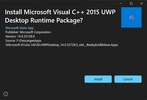
Microsoft Visual C++ 2015 UWP Desktop Runtime Package is a set of Appx packages that install the C++ runtime libraries necessary for UWP and Desktop Bridge apps based on Visual C++ 14.0 (2015) to function correctly on Windows. It's primarily intended for settings where the Microsoft Store cannot automatically download the dependency (for example, Windows Sandbox), allowing developers and administrators to install it manually.

What's included in Microsoft Visual C++ 2015 UWP Desktop Runtime Package

The package corresponds to the Microsoft.VCLibs.140.00.UWPDesktop framework, which contains the C++ runtime DLL files (vcruntime, CRT, and standard library) for UWP apps and desktop apps packaged with Desktop Bridge. By declaring this dependency in your AppX manifest, the system loads these libraries from the framework package instead of using a classic redistributable such as vc_redist. This ensures that all the apps that use that dependency share the same version of the runtime and are updated through the Windows and Store mechanisms.

Advertisement
Remove ads and more with Turbo

Compatible systems and architectures

Microsoft Visual C++ 2015 UWP Desktop Runtime is supported on the latest versions of Windows, in addition to having packages available for x86, x64, ARM, and ARM64 architectures. At Uptodown, we offer the x64 version, which is the most common one. For each architecture, there is a different Appx framework that you should choose based on the type of binaries packaged in your app.

Typical use for Desktop Bridge projects

In projects converted with Desktop Bridge, a entry is usually added to the AppxManifest which leads to Microsoft.VCLibs.140.00.UWPDesktop with the minimum supported version. Once the dependency is declared, the C++ runtime is delivered as part of the framework, and you don't need to package the VC++ DLLs within your own app, thus reducing its size and facilitating updates.

Download Microsoft Visual C++ 2015 UWP Desktop Runtime for Windows from Uptodown to take advantage of the apps found on Microsoft Store without having to go through it to get your apps.

Information about Microsoft Visual C++ 2015 UWP Desktop Runtime 14.0.33728.0

Basic information

Developer Microsoft
Category IDE
Rating All ages
Languages English

Distribution model

Pricing Free
License Proprietary
Copyright © 2026 Microsoft
Why is this app published on Uptodown? (More information)

Security and privacy

Required permissions Not applicable
See security and antivirus report

Download info

Downloads 8,602
Date Dec 31, 2025
File type APPX
Size 6.44 MB
SHA256 077a3d1a5d0622bd3004dca85f5e192d6e98ec79b83d4aa06766759ea6c09c3d
Advertisement
Remove ads and more with Turbo

Rate this App

Review the app
Microsoft Visual C++ 2015 UWP Desktop Runtime icon

Rating

5.0
5
4
3
2
1
1 reviews

Comments

There are no opinions about Microsoft Visual C++ 2015 UWP Desktop Runtime yet. Be the first! Comment

Advertisement
Remove ads and more with Turbo
PkgEditor icon
Edit PS4 files in PKG, SFO or PFS format
Android Studio icon
The best environment for developing Android apps
Visual C++ Redistributable Runtime All-in-One icon
Install the latest version of Visual C++ Redistributable
Dev-C++ icon
Development environment for C and C++
Microsoft Visual C++ Redistributable icon
Component required to run Visual C++ applications
Microsoft Visio icon
Transform data into visual diagrams
Python icon
Accessible multi-paradigmatic programming language
Visual Studio Code icon
Microsoft's cross-platform code editor
Visual C++ Redistributable Runtime All-in-One icon
Install the latest version of Visual C++ Redistributable
Dev-C++ icon
Development environment for C and C++
Microsoft Visual C++ Redistributable icon
Component required to run Visual C++ applications
Visual Studio Code icon
Microsoft's cross-platform code editor
Code::Blocks icon
An open-source IDE for C, C++ and Fortran
TDM-GCC icon
A lightweight GCC compilation suite for Windows
CLion icon
Code in C and C++ with smart code analysis and debugging
C++Builder icon
Build native C++ apps fast
PkgEditor icon
Edit PS4 files in PKG, SFO or PFS format
Microsoft Access icon
Create and manage databases in Windows
Android Studio icon
The best environment for developing Android apps
Visual C++ Redistributable Runtime All-in-One icon
Install the latest version of Visual C++ Redistributable
Dev-C++ icon
Development environment for C and C++
Microsoft Visual C++ Redistributable icon
Component required to run Visual C++ applications
Microsoft Visio icon
Transform data into visual diagrams
Python icon
Accessible multi-paradigmatic programming language